
Somewhere in your company there is an OpenAI key in a CI secret, an Anthropic key in a notebook, and a third key nobody remembers minting. Every tool points at a different provider, and when the invoice lands there is no way to say which team spent what. SBproxy's pitch is "Take control of your AI traffic.": one Apache-2.0 binary that puts a single OpenAI-compatible endpoint in front of 72 providers, or serves the weights on your own GPUs, with keys, budgets, and accounting under your control. This guide builds the hosted-gateway half of that sentence. In about twenty minutes you get your own OpenRouter, running on a box you own.
What you will build
One endpoint on port 8080 that speaks the OpenAI API in front of OpenAI and Anthropic, where the request's model field picks the vendor. An admin API on port 9090 where you mint a virtual key per team at runtime; the real provider keys stay in the gateway's environment and teams only ever hold their SBproxy key. Each key carries a daily token budget that the gateway enforces before dispatch, refusing over-budget requests with 402. And a usage ledger on disk that records every completed call with provider, model, tokens, cost, and the key that spent it, hash-chained so past entries cannot be quietly edited.
Prerequisites
- An OpenAI key (
OPENAI_API_KEY) and an Anthropic key (ANTHROPIC_API_KEY). These are the demo pair; any of the 72 providers configures the same way. curlfor requests andjqfor reading JSON.- No Rust toolchain. The published binary is all you need.
Install
# Linux / macOS, single static binary:
curl -fsSL https://download.sbproxy.dev | sh

# macOS via Homebrew:
brew install soapbucket/tap/sbproxy

# Docker / Kubernetes:
docker pull soapbucket/sbproxy:latest
The full install matrix, including checksums and air-gapped installs, is in the manual.
Minimal config
The assembled file lives at examples/use-case-own-openrouter/sb.yml, with a docker-compose next to it. It reads in four parts.
First, the two servers. Port 8080 is the data plane your teams call. The admin server on 9090 is the control plane where keys are minted; it is off by default and admits only loopback clients until you say otherwise. (The example file also sets bind and an allow_ips allowlist on the admin block so the docker-compose port mapping works, since Docker connections arrive from the bridge network rather than loopback. Running the binary directly, you can leave both out.)
proxy:
  http_bind_port: 8080

  admin:
    enabled: true
    port: 9090
    username: admin
    password: admin   # demo credentials; change both before any real use
Second, dynamic key management. This is what makes keys a runtime resource instead of lines of YAML: you mint, revoke, and rotate them through the admin API, and each change takes effect on the next request with no reload. Inbound keys are stored as HMAC-SHA256 hashes under a server pepper, so the store never holds anything a thief could replay. The demo uses inline pepper and master values so the file boots standalone; in production point them at env:NAME or file:PATH, because a changed pepper means previously stored hashes stop verifying.
  key_management:
    enabled: true
    store:
      backend: embedded   # single node; use redis when replicas share keys
      path: /tmp/sbproxy-own-openrouter-keys.redb
    cache:
      ttl_secs: 60
    crypto:
      pepper: demo-pepper-not-for-production
      master_key: demo-master-not-for-production
    failure_mode_allow: false   # store down means deny, never ungoverned traffic
Third, the origin. Two providers sit behind one hostname. Before any routing strategy runs, the gateway narrows the provider set to those that declare the requested model, so gpt-4o-mini reaches OpenAI and claude-haiku-4-5 reaches Anthropic through the same URL. Clients switch vendors by changing one string in the request body; nothing else about their code moves.
origins:
  "ai.local":
    action:
      type: ai_proxy
      providers:
        - name: openai
          api_key: ${OPENAI_API_KEY}
          default_model: gpt-4o-mini
          models:
            - gpt-4o-mini
        - name: anthropic
          api_key: ${ANTHROPIC_API_KEY}
          default_model: claude-haiku-4-5
          models:
            - claude-haiku-4-5
Fourth, governance: a budget and the ledger. The api_key scope gives every virtual key its own daily bucket, and on_exceed: block refuses the first request past the line with 402 before any provider is contacted. Ninety tokens is an absurd cap chosen so you can watch it trip in one sitting; a real deployment would set something like max_cost_usd: 50 with period: monthly, or use on_exceed: downgrade to swap expensive models for cheap ones instead of refusing. Note that a request presenting no key skips a key-scoped limit, so add an auth gate in front when every caller must carry one. The ledger sink appends one entry per completed call, each hash-chained to the previous entry; add a signing_seed_hex and entries are Ed25519-signed too.
      budget:
        on_exceed: block
        limits:
          - scope: api_key
            max_tokens: 90
            period: daily

      usage_sinks:
        - type: ledger
          path: /tmp/sbproxy-own-openrouter-ledger.jsonl
Run it
Export your provider keys and start the gateway (or run docker compose up from the example directory):
export OPENAI_API_KEY=sk-...
export ANTHROPIC_API_KEY=sk-ant-...
sbproxy sb.yml
Mint a key for your first team. The plaintext token comes back exactly once; after this response the gateway holds only the hash.
$ curl -s -u admin:admin -X POST http://127.0.0.1:9090/admin/keys \
    -H 'Content-Type: application/json' \
    -d '{"name":"team-payments"}'
{
  "token": "sk-4fa2b91c-...",
  "key": { "key_id": "4fa2b91c", "name": "team-payments", "status": "active", ... }
}
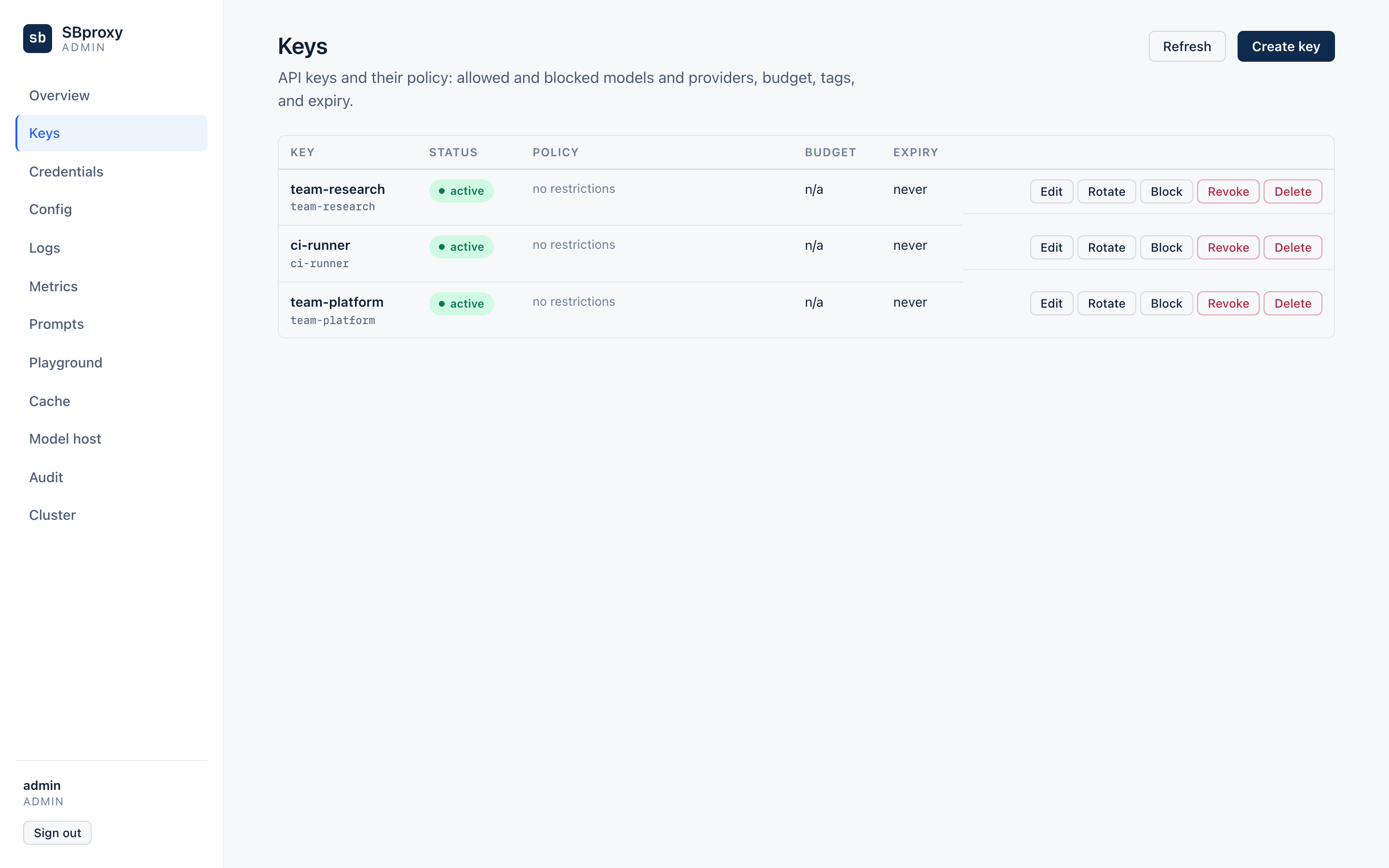
Hand that token to the payments team and mint another for the next team. A key is more than a credential: the record can carry allowed_models, max_requests_per_minute, tags for attribution, and a pinned route_to_model, all editable later with PATCH /admin/keys/{id} and all live on the next request. Revoking is one POST /admin/keys/{id}/revoke, and rotation keeps the old secret valid for a grace window while clients pick up the new one. The details are in Dynamic Key Management.
If you would rather click than curl, builds that carry the embedded admin UI serve it at http://127.0.0.1:9090/admin/ui, driving these same endpoints from the browser (see admin.md in the repo docs for how the UI is enabled and secured). The Keys page mints, edits, revokes, and rotates the same records:
Now spend some of the budget. Save the token and send a normal OpenAI-shaped request through the gateway. The model field says gpt-4o-mini, so OpenAI serves it:
$ TOKEN=sk-4fa2b91c-...
$ curl -s http://127.0.0.1:8080/v1/chat/completions \
    -H 'Host: ai.local' -H "Authorization: Bearer $TOKEN" \
    -H 'Content-Type: application/json' \
    -d '{"model":"gpt-4o-mini","messages":[{"role":"user","content":"One sentence: why route LLM calls through a gateway?"}]}' \
  | jq -r '.model, .choices[0].message.content'
gpt-4o-mini
A gateway gives every application one endpoint while centralizing keys, failover, and cost controls.
Change one string and the same key reaches Anthropic through the same URL. The answer still comes back in OpenAI chat-completion shape, because the gateway translates natively in both directions:
$ curl -s http://127.0.0.1:8080/v1/chat/completions \
    -H 'Host: ai.local' -H "Authorization: Bearer $TOKEN" \
    -H 'Content-Type: application/json' \
    -d '{"model":"claude-haiku-4-5","messages":[{"role":"user","content":"In about 120 words, why give each team its own gateway key?"}]}' \
  | jq '{model, usage}'
{
  "model": "claude-haiku-4-5",
  "usage": { "prompt_tokens": 29, "completion_tokens": 158, "total_tokens": 187 }
}
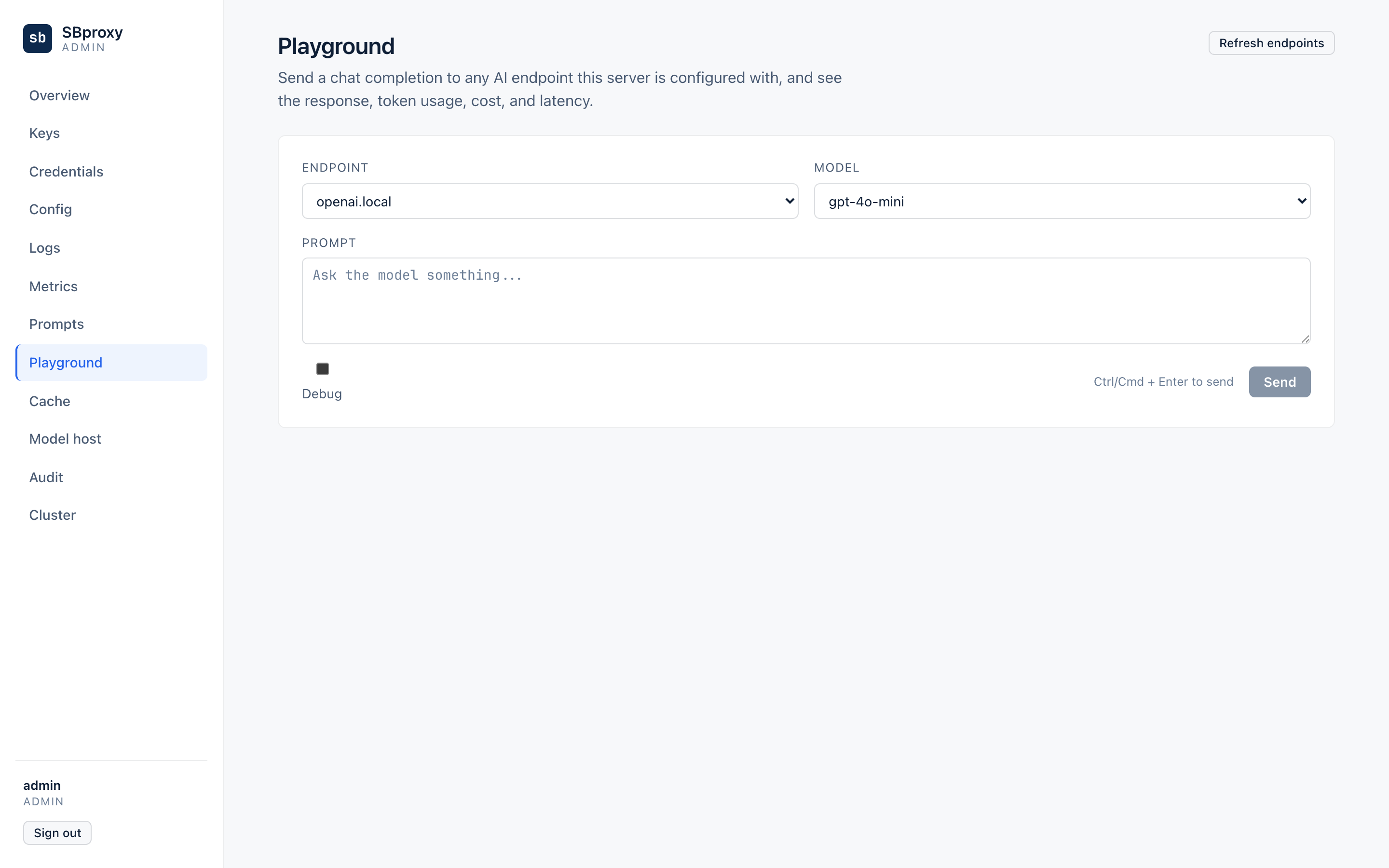
The admin UI covers this step too: the Playground page sends a test completion through the same dispatch path as production traffic, so you can sanity-check a model or a key without opening a terminal:
Both calls are now in the ledger, attributed to the key by name:
$ tail -n 2 /tmp/sbproxy-own-openrouter-ledger.jsonl \
    | jq -c '{provider: .event.provider, model: .event.model, tokens: .event.total_tokens, cost_usd: .event.cost_usd, key: .event.key_id}'
{"provider":"openai","model":"gpt-4o-mini","tokens":64,"cost_usd":0.0000209,"key":"team-payments"}
{"provider":"anthropic","model":"claude-haiku-4-5","tokens":187,"cost_usd":0.000819,"key":"team-payments"}
Each entry's hash covers the entry before it, so the file is tamper-evident, and you can prove it:
$ sbproxy ai ledger verify /tmp/sbproxy-own-openrouter-ledger.jsonl
ledger verify: OK (2 entries, chain only)
Edit any cost_usd in the file and verification fails at that sequence number. Verifiable Usage Ledger covers signing and the exactly-once replay behavior.
Those two calls also spent more than 90 tokens, which is the point. The key's daily bucket is now over its cap, so the next request is refused before any provider sees it:
$ curl -is http://127.0.0.1:8080/v1/chat/completions \
    -H 'Host: ai.local' -H "Authorization: Bearer $TOKEN" \
    -H 'Content-Type: application/json' \
    -d '{"model":"gpt-4o-mini","messages":[{"role":"user","content":"one more?"}]}' \
  | sed -n '1p;$p'
HTTP/1.1 402 Payment Required
{"error":{"type":"budget_exceeded","scope":"api_key","message":"..."}}
Every other key keeps working. Buckets are per key, so one team burning its budget never throttles another, and the window resets daily.
You are done when
- The same bearer token gets answers from both vendors through
http://127.0.0.1:8080/v1/chat/completions, with.modelreadinggpt-4o-minion one response andclaude-haiku-4-5on the other. tailon the ledger file shows one entry per call, withprovidervaluesopenaiandanthropicand both entries carrying"key":"team-payments".sbproxy ai ledger verifyprintsledger verify: OKand exits 0.- A further request with the spent key returns
HTTP/1.1 402 Payment Requiredwith"type":"budget_exceeded"and"scope":"api_key"in the body.
Next steps
- AI Gateway - the provider array, model-based selection, routing strategies, and the full budget reference
- Dynamic Key Management - key lifecycle, rotation grace windows, per-key policy, and the store backends for replica fleets
- Verifiable Usage Ledger - ledger entry format, Ed25519 signing, and verification in CI
admin.md- locking down the admin server: roles, TLS, remote access, and the web UI- Config Reference - the full configuration schema